2026 Tech Gifts for Seniors That Are Useful—and Easy to Enjoy

Table of Contents
- Our Tech Gifts for Seniors Picks at a Glance
- 1. An Aura Carver Frame Keeps Family Photos in View
- 2. A Kindle Paperwhite Lets Readers Adjust the Page
- 3. A Better Roku Remote Can Solve an Everyday Annoyance
- 4. GrandPad Offers a Simpler Route to Video Calls
- 5. A Day-and-Date Clock Keeps Useful Information Visible
- 6. An Apple Watch Can Suit Someone Who Wants More from Their iPhone
- Before Buying Tech Gifts for Seniors, Ask These Five Questions
- The Setup Can Be the Most Valuable Part of the Gift
- Frequently Asked Questions About Tech Gifts for Seniors
The best tech gifts for seniors start with something they already enjoy. For a reader, that might be an easier way to enlarge the print. For a grandparent, it might be family photos that appear without opening an app. For someone who loves movies, it might simply be a remote they can find.
Age alone does not tell you which gadget someone will appreciate. Their interests, comfort with technology, and willingness to charge another device matter much more.
We researched the options below with those differences in mind, looking at everyday usefulness, setup, compatibility, and ongoing costs. These are research-based recommendations, not claims that we personally tested every product.
Our Tech Gifts for Seniors Picks at a Glance
| Gift | Who it suits | What to check first |
|---|---|---|
| Aura Carver digital photo frame | Someone who enjoys seeing family photos | Home Wi-Fi and a family member willing to manage photo sharing |
| Kindle Paperwhite | A reader who wants adjustable text and lighting | Comfort holding the device and navigating its touchscreen |
| Roku Voice Remote Pro, 2nd edition | Someone who already watches TV through Roku | Compatibility with their exact Roku device |
| GrandPad | Someone who wants video calls with a simplified tablet interface | Required service plan, connectivity, and family involvement |
| Robin Day Clock | Someone who appreciates a prominent day, date, and time display | Readability from its intended location |
| Apple Watch SE 3 | An interested iPhone user who wants a smartwatch | Phone compatibility, charging routine, and connectivity needs |
1. An Aura Carver Frame Keeps Family Photos in View
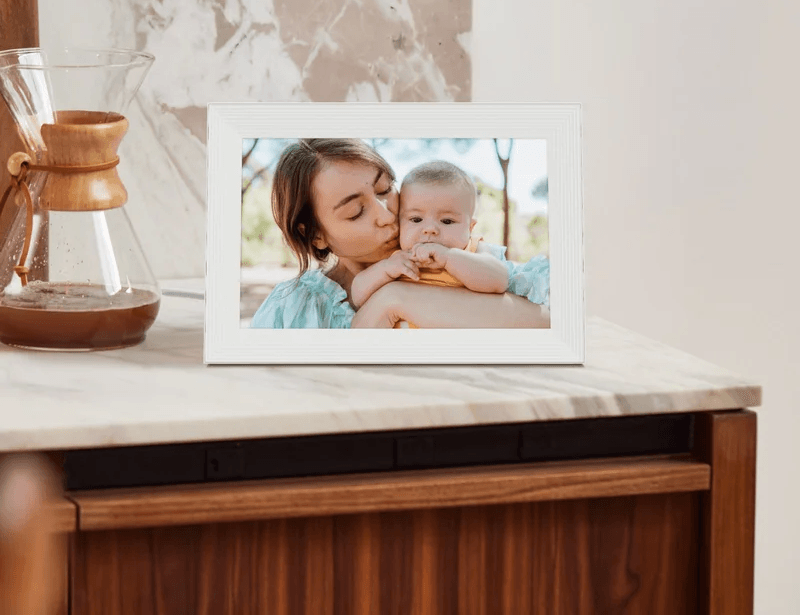
A family group chat can contain hundreds of pictures that someone rarely sees again. A digital frame gives those photos a place in the room.
The Aura Carver has a 10.1-inch display, and invited family members can contribute photos remotely. Aura offers photo sharing and storage without a subscription fee. The frame needs Wi-Fi, and the app is used for setup and management.
Why it makes a thoughtful gift: The recipient can enjoy the pictures without learning to navigate a tablet. You can preload family photos so the gift feels personal from the beginning.
The tradeoff: Carver is a landscape-only frame. Portrait photos may be paired or cropped to suit the display. An independent DPReview evaluation also identifies its fixed orientation and app-based operation as considerations.
Make the gift better: Add a mix of recent photos and older favorites. Invite relatives who will continue sending pictures, and place the frame where it can be comfortably seen.
Skip it if: The recipient does not want a connected display, lacks reliable Wi-Fi, or would prefer a printed photo book.
2. A Kindle Paperwhite Lets Readers Adjust the Page
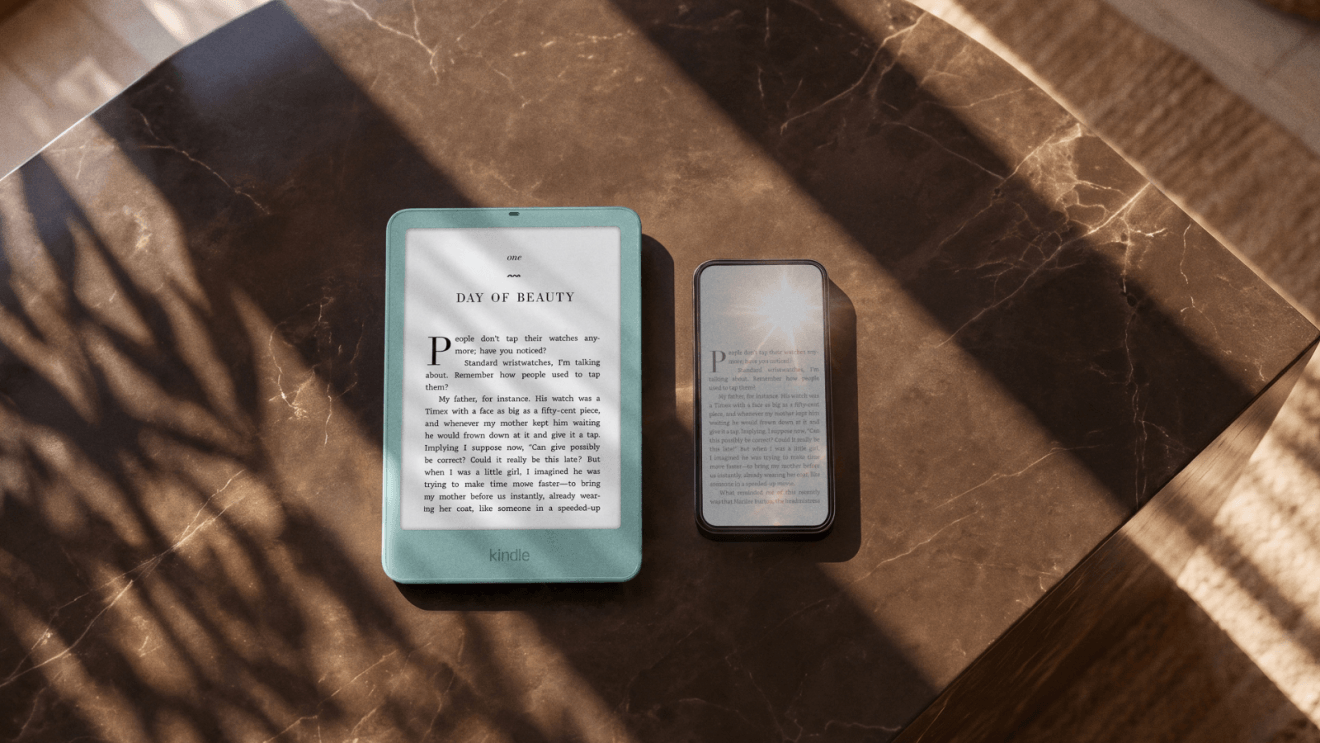
If someone loves reading but finds the print in certain books uncomfortable, an e-reader is worth considering. It allows them to change the text instead of finding a different edition.
The Kindle Paperwhite combines an e-paper display with adjustable warm lighting. Kindle also offers settings for enlarging book text; Amazon explains the steps in its font-size guide.
Why it makes a useful gift: A reader can tailor the page to their preferences and carry several books on one device.
The tradeoff: Larger text means fewer words per page and more page turns. Touchscreen menus and book purchasing still involve a learning curve. Adjustable text also does not guarantee that a particular screen will meet someone’s vision needs.
Make the gift better: Help register the device, load a book they actually want, and adjust the text and light together. Consider a supportive case or stand if holding a device is tiring.
Ongoing costs: Budget for books. Subscription reading plans are optional purchases; check the terms and renewal settings before including a trial.
Skip it if: They strongly prefer printed books or already have an e-reader they enjoy. A book credit may be the better gift.
3. A Better Roku Remote Can Solve an Everyday Annoyance
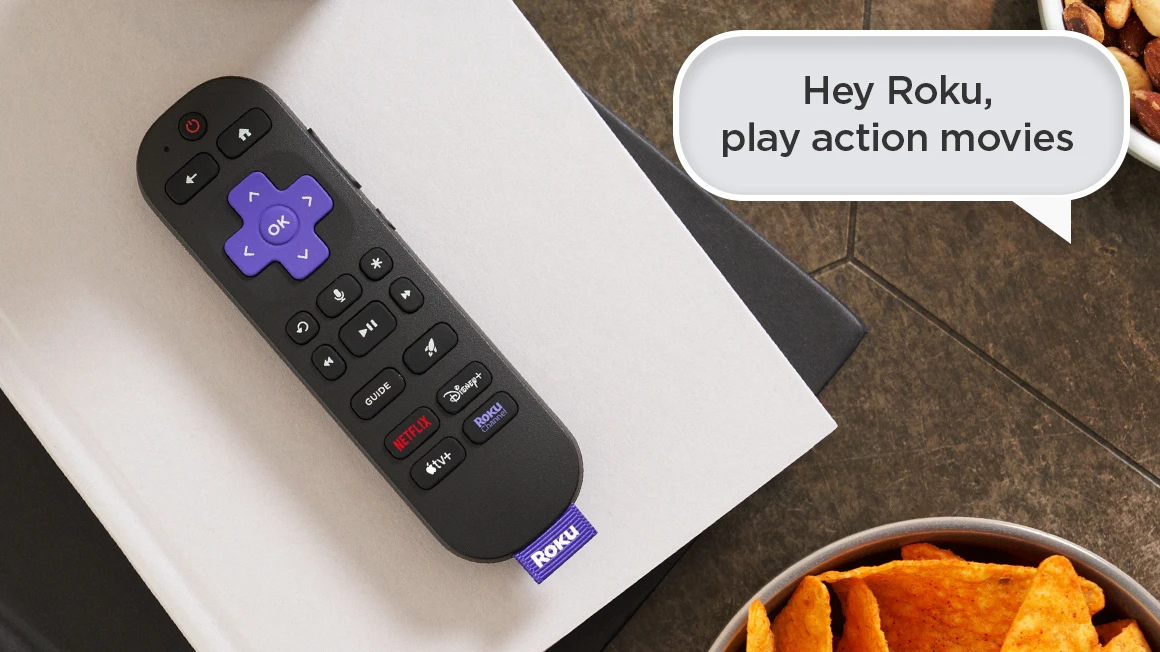
Not every good tech gift needs to introduce something new. Sometimes upgrading a familiar device is more useful.
The Roku Voice Remote Pro, 2nd edition offers backlit buttons, USB-C charging, voice controls, and a lost-remote finder. It works with compatible Roku equipment rather than serving as a universal replacement for every television setup.
Why it makes a useful gift: Backlighting can make buttons easier to locate in a dim room, and the finder can reduce searches between sofa cushions.
The tradeoff: This edition does not have a wired headphone jack. That matters if the person currently plugs headphones into an older Roku remote. Private listening through a phone introduces a different workflow.
Make the gift better: Check the exact Roku model before buying, pair the remote, and practice the commands the recipient wants to use. Show them where it will charge.
Skip it if: They use another TV platform or would find a different button layout frustrating. Familiarity can matter more than added features.
4. GrandPad Offers a Simpler Route to Video Calls
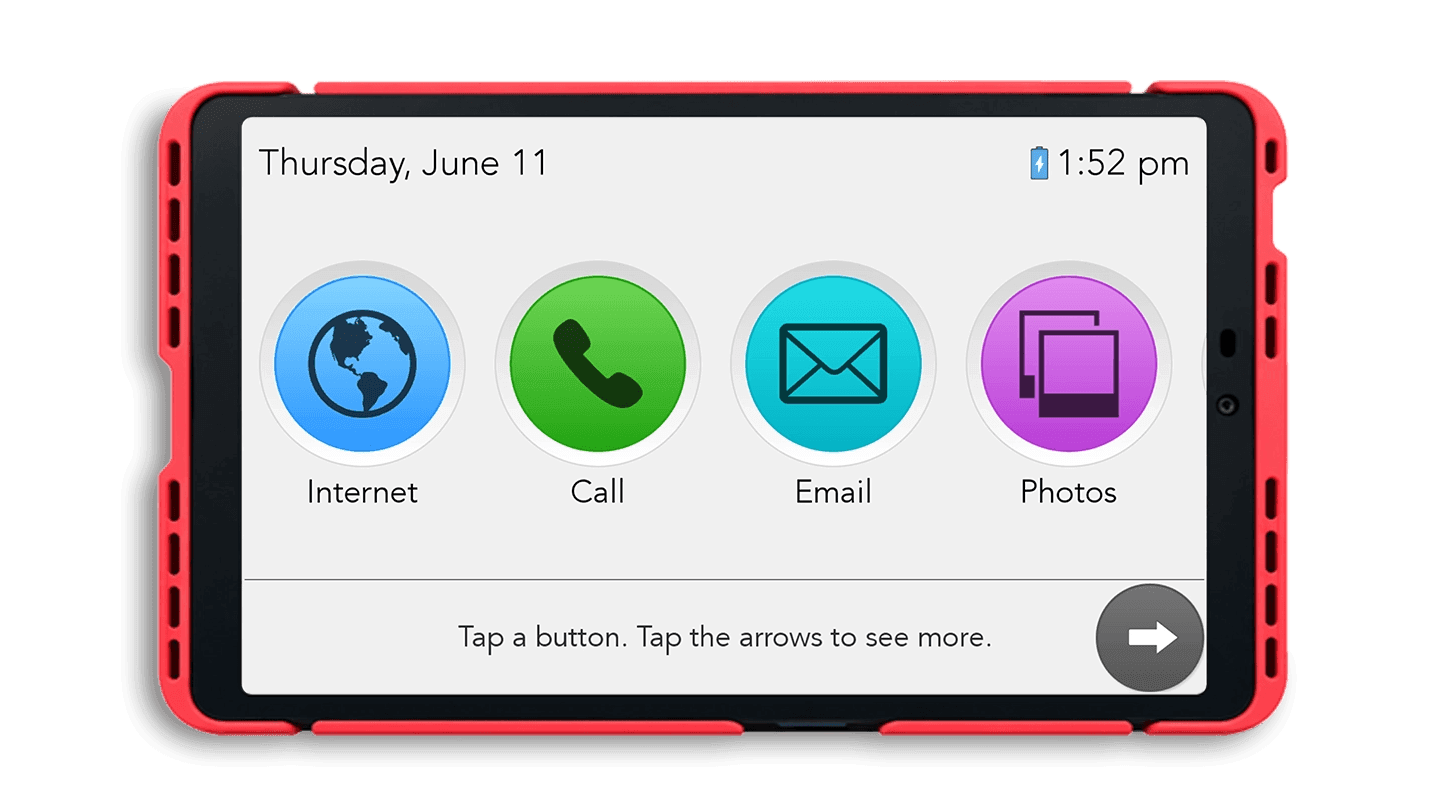
A regular tablet can be versatile, but versatility is not always the priority. Someone who primarily wants to see family may appreciate fewer menus and a more guided experience.
GrandPad is a tablet and service designed around communication, photo sharing, and entertainment. Family members can participate through its companion app.
Why it makes a useful gift: It is worth considering for someone who wants video calls but finds conventional tablets overwhelming.
The tradeoff: This is an ongoing service commitment. At the time of research, the Basic plan was listed at $25 per month and used Wi-Fi, with video calling but no voice calling. The Premium plan was listed at $45 per month and added 3GB of cellular data and voice calling. Device costs are separate; verify current pricing and plan details before ordering.
Do not assume that every GrandPad plan includes cellular connectivity, or that it offers the same app freedom as a general-purpose tablet.
Make the gift better: Agree on who will pay for service and manage the account. Add contacts, arrange a first call, and ask the recipient which settings they want family members to manage.
Skip it if: They already use an iPad or Android tablet comfortably, want specific apps, or do not want a managed family setup.
5. A Day-and-Date Clock Keeps Useful Information Visible
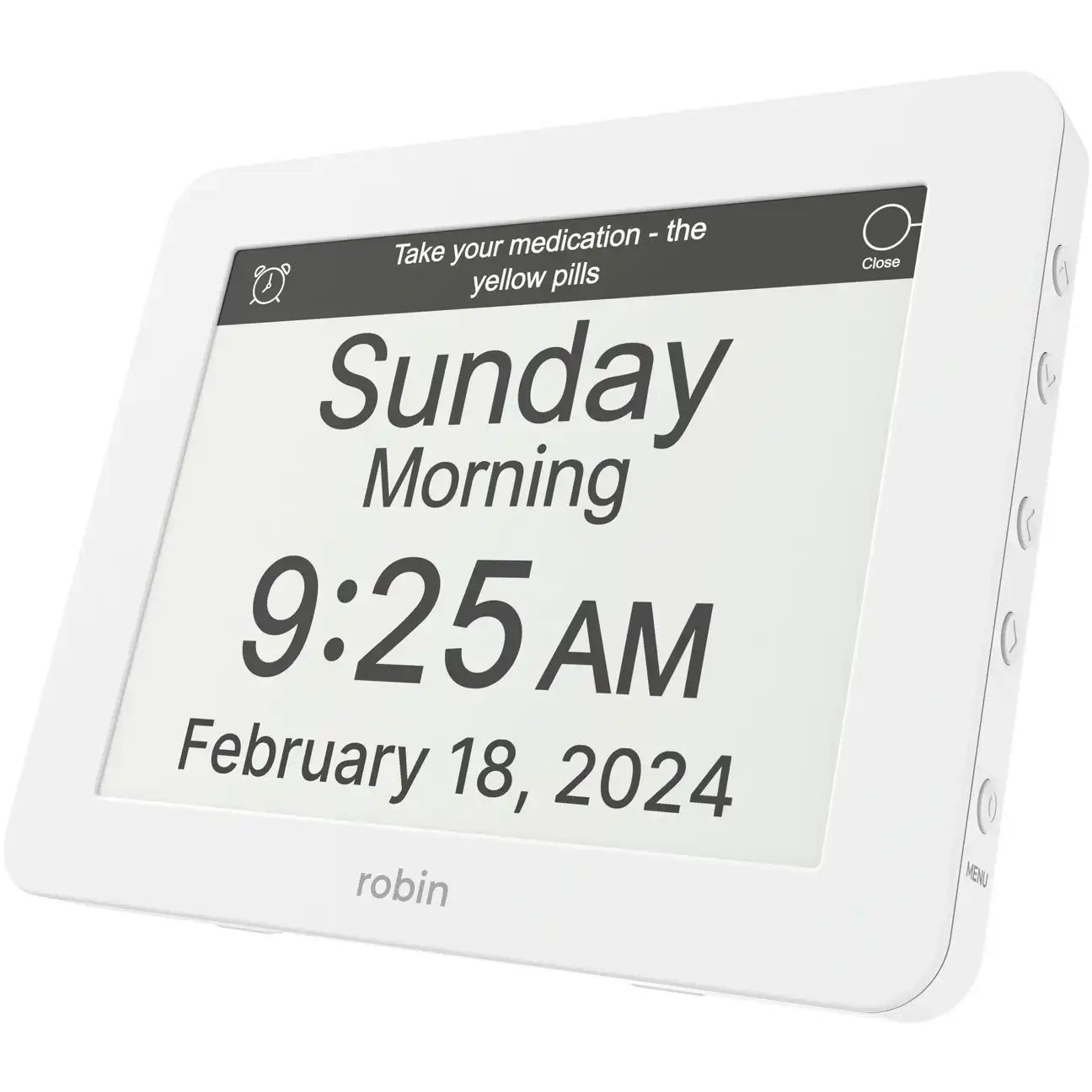
A large clock that spells out the day and date can be a practical gift without adding another app to someone’s life.
The Robin 8-inch Day Clock includes a day-and-time announcement function. Robin’s support information also describes an automatic nighttime dimming option.
Why it makes a useful gift: It puts everyday information in a consistent, visible place. That can suit someone who wants a clear display across the room rather than checking a phone.
The tradeoff: Screen size alone does not establish readability. Placement, glare, viewing distance, and the person’s vision all matter. Check the features of the exact model, since clock versions differ.
Make the gift better: Set the correct time and date, choose a readable display, and test it from the recipient’s usual chair or bed. Ask whether they want the talking function or alarms enabled.
Skip it if: They prefer an analog clock, dislike illuminated screens, or would find the gift patronizing. Ask first rather than assuming they need it.
6. An Apple Watch Can Suit Someone Who Wants More from Their iPhone
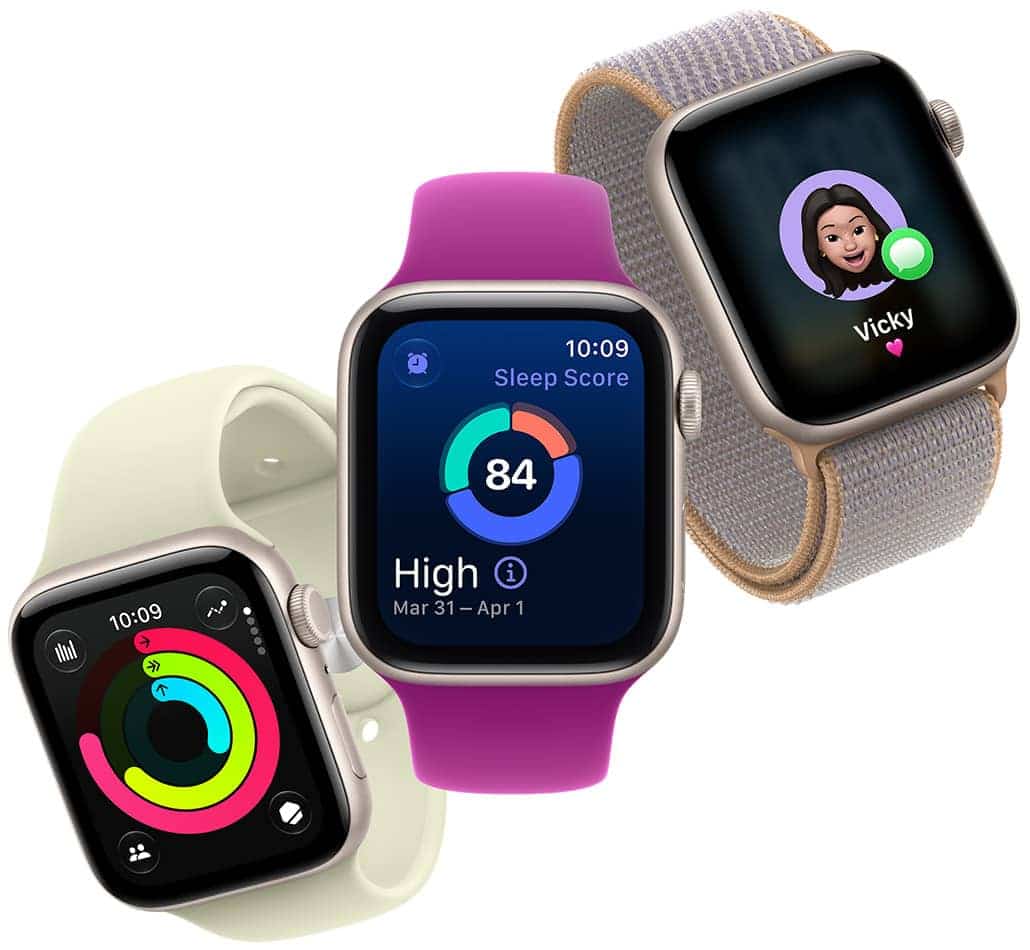
A smartwatch can put calls, messages, timers, and activity information on the wrist. For someone who already enjoys an iPhone and wants those conveniences, it can be a welcome gift.
The Apple Watch SE 3 includes Emergency SOS and Fall Detection alongside everyday smartwatch functions.
Why it makes a useful gift: It offers several conveniences in a wearable device, particularly for someone who does not always keep their phone in a pocket.
The tradeoff: It requires compatible equipment, setup, and regular charging. Cellular capability and service arrangements affect what it can do away from a phone. Check Apple’s current compatibility requirements before purchasing.
Fall Detection is an additional feature, not a guarantee of help after every fall. Apple explains that emergency response depends on how the watch detects and responds to an event. A smartwatch should not be selected as a substitute for a dedicated medical alert service without carefully comparing the person’s needs.
Make the gift better: Choose the band together, simplify notifications, enlarge text if needed, and establish a charging routine. Set emergency contacts with the recipient’s permission.
Skip it if: They use an Android phone, dislike wearing watches, or do not want another device to charge.
Before Buying Tech Gifts for Seniors, Ask These Five Questions
Does it support something the person already wants to do?
“You love reading, and this lets you enlarge the print” is a stronger reason than “This is popular with seniors.” Start with the person’s interests.
Who will handle setup and troubleshooting?
Account creation, passwords, Wi-Fi, updates, and pairing can turn a thoughtful gift into unfinished homework. If help is needed, include your time as part of the present.
What will it cost after the wrapping comes off?
Check service plans, books, streaming subscriptions, cellular charges, and accessories. Make clear who will pay and what happens when a trial or prepaid period ends.
Does it work with equipment they already own?
Verify exact phone, television, and accessory compatibility. A product name that looks nearly identical may refer to a different generation with different features.
Does the recipient control the privacy settings?
Ask before enabling location sharing, remote administration, or family access. Convenience should come with clear choices about who can see or manage information.
The Setup Can Be the Most Valuable Part of the Gift
A digital frame with familiar faces already loaded, an e-reader with the right text size, or a remote paired to the television is ready to enjoy.
Before leaving, ask the recipient to try the two or three functions they care about. Write down a few simple instructions and make sure they know whom to contact for help. Leave account and recovery information accessible to them.
The best tech gift is one they choose to keep using because it adds something welcome to their day.
Frequently Asked Questions About Tech Gifts for Seniors
What is a good tech gift for someone who dislikes technology?
Consider a gift with little day-to-day interaction, such as a preloaded digital photo frame or a clear day-and-date clock. First confirm that they want it and that someone can handle any necessary setup.
Should I buy a simplified tablet or a regular tablet?
A simplified tablet may suit someone who mainly wants calls and photos with fewer menus. A regular tablet may be better for someone who wants specific apps and more control. Compare ongoing costs as well as the purchase price.
Are subscriptions included with tech gifts?
Sometimes a trial or prepaid period is included, but that does not mean ongoing service is free. Check the renewal date, payment method, cancellation terms, and which features stop working without a subscription.
Is a smartwatch a good gift for every older adult?
No. It suits someone who wants its functions and can comfortably use and charge it. Phone compatibility, screen size, band comfort, and the recipient’s preferences should guide the decision.
What if the person already has the device I was considering?
Improve what they already enjoy. Add books to their reading budget, contribute family photos, replace a worn accessory, or help configure an existing feature. A useful improvement can be more welcome than a replacement.